

This is a brief overview of some of the most used features on a favorite photo editing app among travel bloggers and travelers posting on Instagram. The phone app is called Snapseed and it’s available for iPhones and Android smartphones.
And Snapseed is a completely FREE photo editing app for your phone!
This is meant as a beginner’s guide and introduction to one of the best free photo editing apps for your phone that is out there! This will show you a few of the different features that are available and the effects those features can have on your image. You’ll want to experiment to decide what you like and don’t like!
So whether you want to make your travel pictures look even better for you to post on Instagram, or you’re a blogger just starting out and are using your camera phone to take blog photos, Snapseed can help to improve your pictures.
So, to get great outdoor pictures…
Step 1: Go to a location with a beautiful backdrop. It could be closer than you think! A sunset at your local lake, a stroll on the trails at your local park. Or you can go far to get that backdrop! Like say… outdoor views in Hawaii! 😉
Step 2: Snap those pictures! Change up the angles that you take the pictures. Use things like this type type of tripod or this type of camera lens for help!
Step 3: Edit those pictures! (See below!)
Side note…
Here’s what you NEED if you’re going out and about around town or on hiking adventures with your regular camera!
Okay, maybe not need, just want 😉
This type of backpack that is designed specifically for outdoor photography adventures!
You may also want to take a look at this hiking gear list. 😉
Okay, now let’s back to your phone…
So let’s get started with the photo editing app Snapseed!
Once you’ve got the Snapseed app on your phone…
Side note!
See about the best shoes for hiking in Hawaii and what to wear snorkeling in Hawaii! And for Hawaii vacation ideas, see the best things to do in Waikiki that will give you Hawaii vibes!
Open up the photo you want to edit in Snapseed
You can do this a couple of ways. You can go to your gallery, select your photo, and “share” to Snapseed. Or you can go directly to Snapseed and open up the app, and it will prompt you to select a photo from your gallery.
Use the features to let the photo editing begin!

Play around with the tools!

Straighten out your photo: Tools >> Rotate
Let’s say you were on a cruise and took some amazingly awesome beautiful ocean photography. But you were more concerned with getting the expansive open water than you were taking a straight photo. In fact you didn’t even pay attention to taking a straight photo. Or you may not even notice when you’re looking at the picture after you took it! Regardless, no problem!
Snapseed can auto-correct that for you! As long as it can recognize the straight line or horizon, as soon as you click on rotate, it will automatically straighten it out.
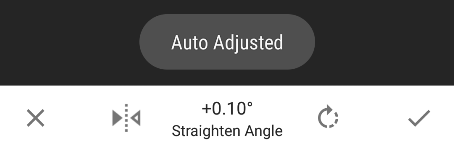
Even if it doesn’t automatically adjust it, you can manually rotate the picture by several degrees or several tenths of a degree, no problem.
Especially if it’s a landscape photo in which there’s a clear straight line indicating the horizon, it will be best to straighten out that picture to make it look even better! Even if it’s ever so slightly.
So consider straightening your photo first.
The auto-adjust isn’t prefect though. Sometimes it catches on to something else that it believes is the horizon which can over-rotate your picture. You’ll likely notice when this happens though!
Crop your photo: Tools >> Crop
Snapseed makes cropping easy too. The app has a number of different size ratios to choose from if you’re going for a certain look. And if you want to make adjustments based on the location of an object you want to crop out, you can crop without any specifications as well. If you’re looking to post a square picture for an Instagram post, there’s a ratio just for you too!

Now for a little photo editing experimentation!
After you’ve edited a bunch of pictures using Snapseed, you’ll start to know which features you like so you’ll quickly be able to edit any pictures you take, sometimes maybe even in less than 60 seconds!
In the examples below, each adjustment builds upon the previous one. But experiment away and switch up the order, use some of the tools, don’t use some of the tools, etc.!
Now here are some of the most used features on this photo editing app with the examples of what kind of difference it makes.
In the Snapseed app, swipe your finger up and down on the screen for the different options, and right and left to change the intensity.
Tools >> Tune Image
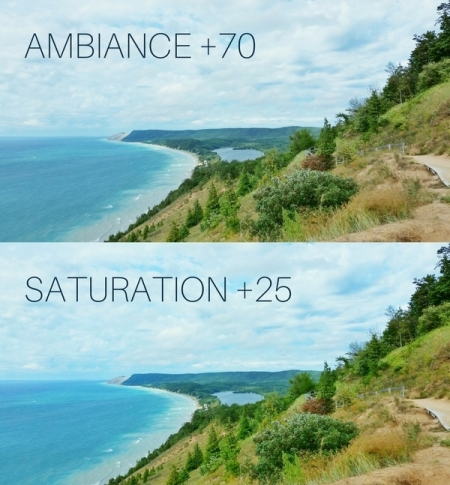
You’ve got a bunch of different options within the “tune image” tool, including adjusting the brightness, contrast, saturation, ambiance, highlights, shadows, and warmth.
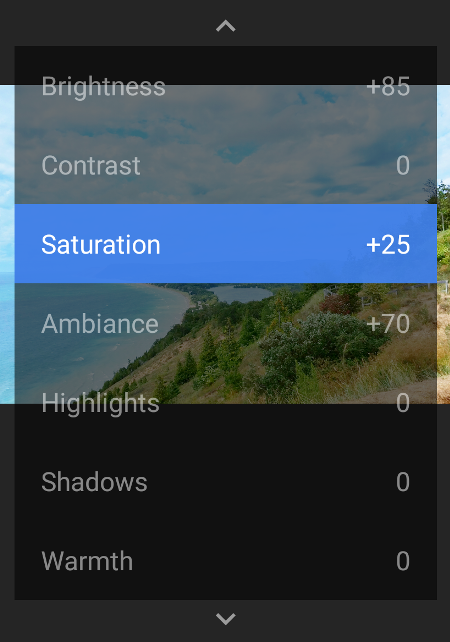
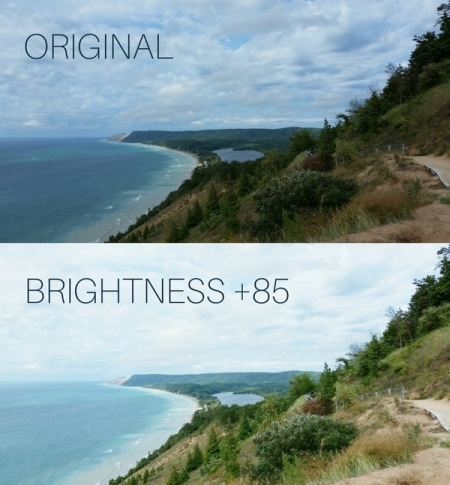
Tools >> Tune Image >> Brightness
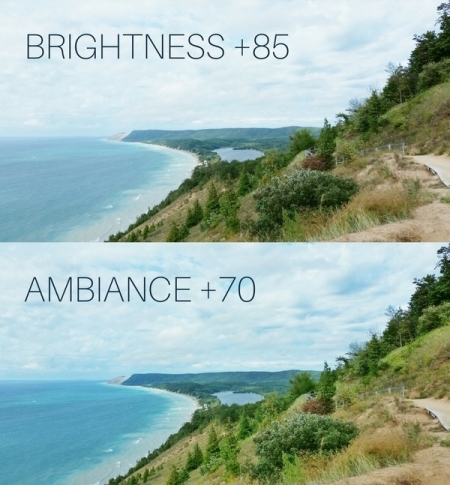
Tools >> Tune Image >> Ambiance
Tools >> Tune Image >> Saturation
Play around with the filters!
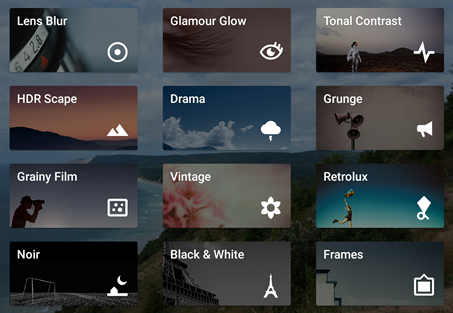
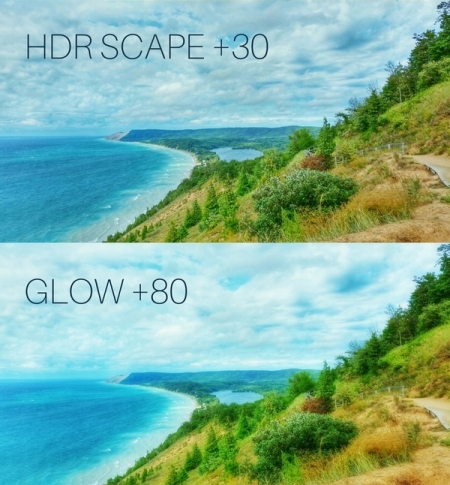
Filters >> HDR Scape >> Nature >> Filter Strength
You can use a preset setting for the HDR scape filter (nature, people, fine, strong), or you can adjust on your own. You can also click on one of the filters as a starting point and make further adjustments from there.


Filters >> Glamour Glow >> Glow
Similar to the HDR scape filter, the glamour glow also has some preset filter settings, indicated by numbers 1 through 5. Once again, you can use these settings as a starting point and then make adjustments from there.

Delete changes you’ve made
As you’re going along, if you decide that you want to take away a previous saved edit you made, Snapseed makes it easy to experiment in that way too. At the top right corner, you’ll see a number indicating how many changes you’ve saved.

If you click on that number, all your changes will pop up.

You can click on any one of the changes you’ve made, and if you so desire, delete that edit, and that edit only.
Hold down on the image to view the original version
If at any time after you’ve saved an edit you want to compare the picture to the original version, you can do that too. Just hold down on the screen for about a second, and it will revert back to the original for as long as you are pressing the screen. Let go of the screen, and it will take you back to your current edited version.
When you’re happy with your edited photo, click DONE and your new photo will be saved to your phone!
Now experiment away! 🙂
HAPPY PHOTO EDITING!
There are affiliate links on this page. Among other partners, as an Amazon Associate, I may receive a commission.
🐠 Here are things you must consider packing!
- Swimsuit or swimming shirt aka rash guard
- rash guard: swim set for women and swim shirt for men
- Water shoes
- Waterproof phone case (so you can capture pictures of fishies underwater!)
- cheapo phone case OR waterproof camera
- I also have this "camera" wrist float to attach to my cheapo waterproof phone case so my phone won't sink to the bottom of the ocean in case I somehow let go of it. (Mine does stay afloat - test this for yourself before completely trusting it!)
- Swimming goggles or snorkeling mask set
- Reef-safe(r) sunscreen
- lightweight travel towel:
- walking sandals:
I also don't go snorkeling without a personal swim float buoy. Not only does it help to keep me visible, but it makes for a perfect way to rest out in deeper water! Oh, and it also serves as a dry bag so I can take stuff into the water with me.
Another way I have taken valuables into the water with me is to wear a travel money belt that I don't mind getting wet with salt water (it's not waterproof but I have several so I just use one of them) and then I put things in a ziplock freezer bag, and put that freezer bag in the money belt.
There are also designated waterproof waist pouches that you can store your valuables and take into the water with you.
see more:
- What to wear hiking
- What to wear snorkeling